Level overlap

Introduction

In a Choice-Based Conjoint (CBC) study, respondents see multiple product concepts and choose the one they would be most likely to buy or prefer.

Level overlap refers to how often attribute levels repeat within the same choice question.

Discover lets you choose one of three level overlap settings for each attribute:

  • Balanced (default): Strives for a modest amount of overlap, so some levels repeat within a question, while still prioritizing one-way and two-way level balance.
  • Minimal: Avoids repeating levels within a question, exposing respondents to as many different attribute levels as possible in each task.
  • Custom: Lets advanced users enter a value from 0 to 1 for more or less overlap. Higher custom values increase repetition. See Advanced Settings below.

Level overlap examples

Let’s imagine a product described by three attributes:

  • Brand: A, B, C
  • Size: Small, Medium, Large
  • Price: $, $$, $$$

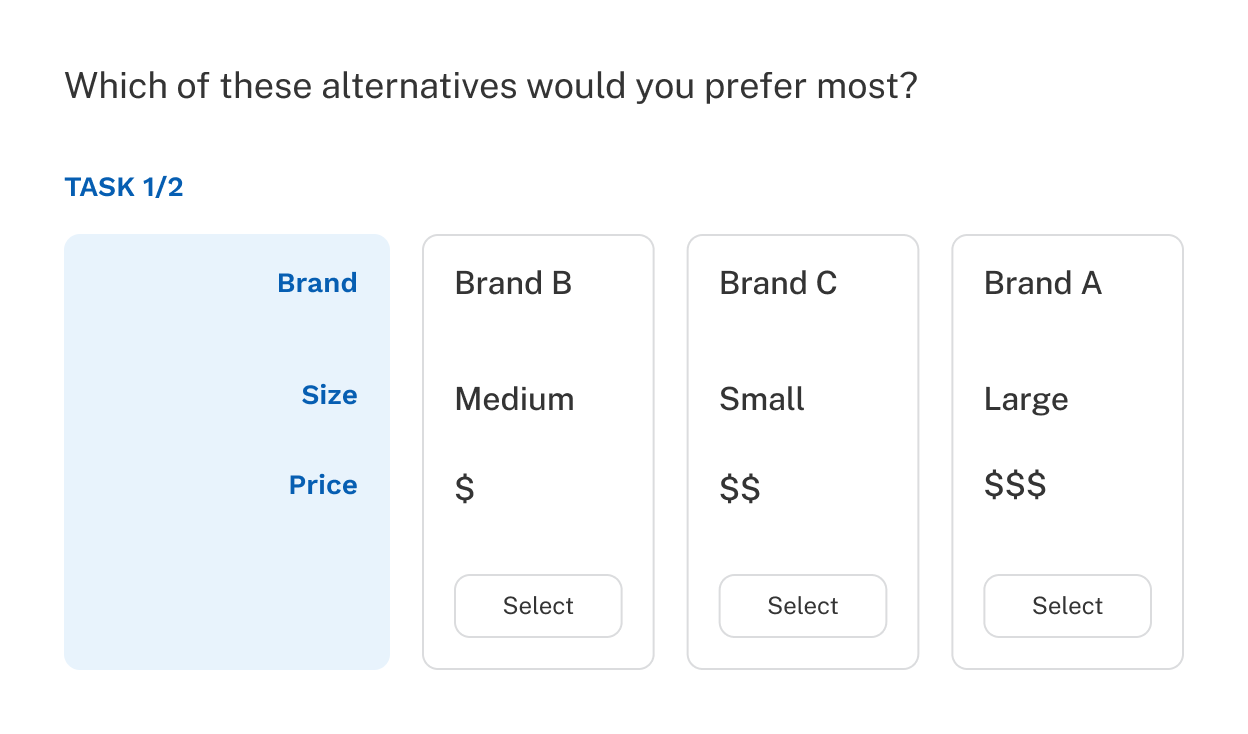
A CBC question with minimal level overlap might look like this:

Cbc   Minimal Level Overlap

Notice that no attribute level is repeated within the question.

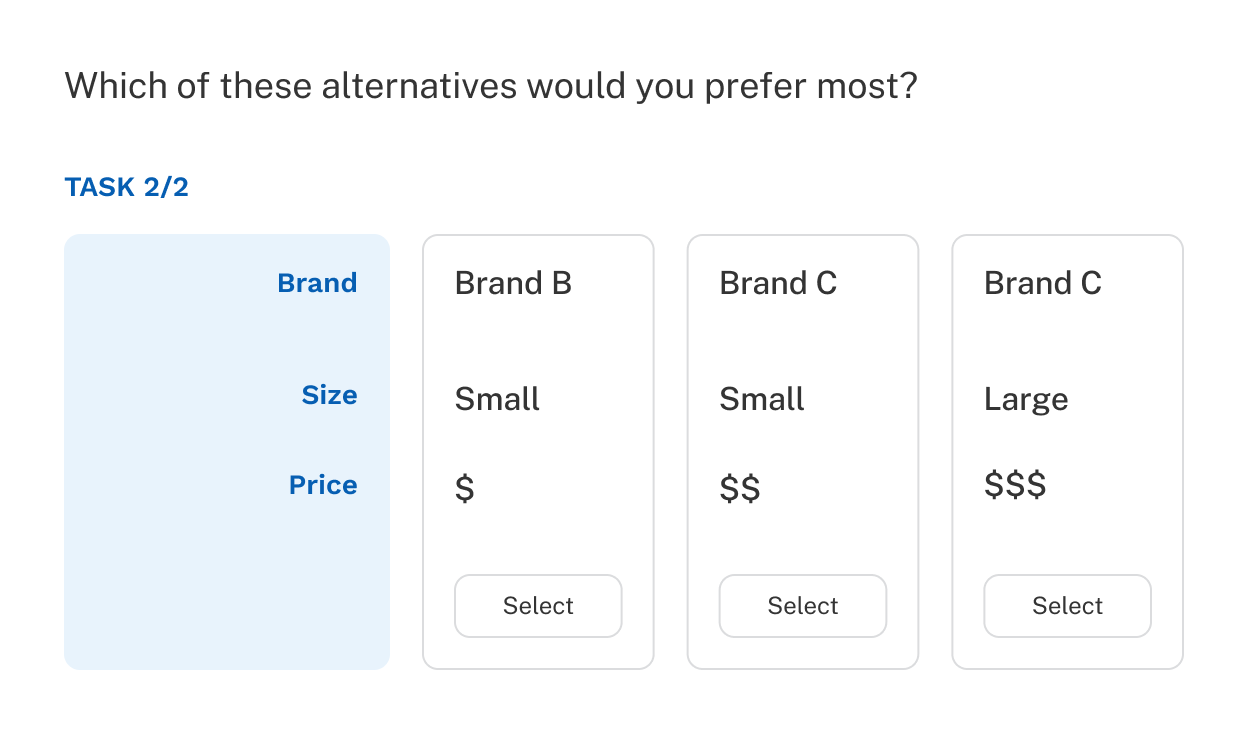
Alternatively, a CBC question with balanced level overlap might look like this:

Cbc   Modest Level Overlap

Here, several levels repeat. For example, Brand C and Small each appear more than once within the same question. In another question, price may feature some level overlap and perhaps brand has none.

By default, Discover uses a balanced amount of level overlap for most attributes because it often creates more realistic choice situations and yields better information about respondent preferences. Early versions of CBC design software emphasized minimal level overlap. The goal was to expose respondents to as many different attribute levels as possible in every choice task.

Over time, researchers learned that a balanced (modest) amount of level overlap often produces a better respondent experience and can reveal more about how people make decisions.

Consider a respondent who strongly prefers Brand B and is unwilling to consider other brands. In a minimal-overlap design, there may be only one Brand B option in each question. That respondent's choice becomes automatic: they simply select the Brand B concept every time.

As a result, we learn very little about how that respondent values the other attributes.

With modest level overlap, a question may contain two or sometimes even three Brand B alternatives. Now the Brand B-focused respondent must look beyond brand and evaluate other factors such as price, size, features, or service levels. This helps reveal which attributes matter most once their favorite brand is available.

In general, level overlap can be especially useful for attributes where respondents may have a strong "must-have" preference and are reluctant to make trade-offs.

Mixing different amounts of level overlap

Occasionally you’ll find a CBC study where you don’t want to treat every attribute the same way. In some studies, it makes sense to use minimal overlap for certain attributes and balanced overlap for others.

For example, consider a study with only Brand and Price.

Showing the same brand multiple times at different prices may not be a realistic or useful choice task. Respondents may feel as though they are taking an obvious test:

  • “Brand B at $” vs. “Brand B at $$”

In this situation, a researcher might choose:

  • Minimal overlap for Brand
  • Balanced overlap for Price

This approach produces more realistic and engaging choice tasks.

Advanced settings: customizing level overlap

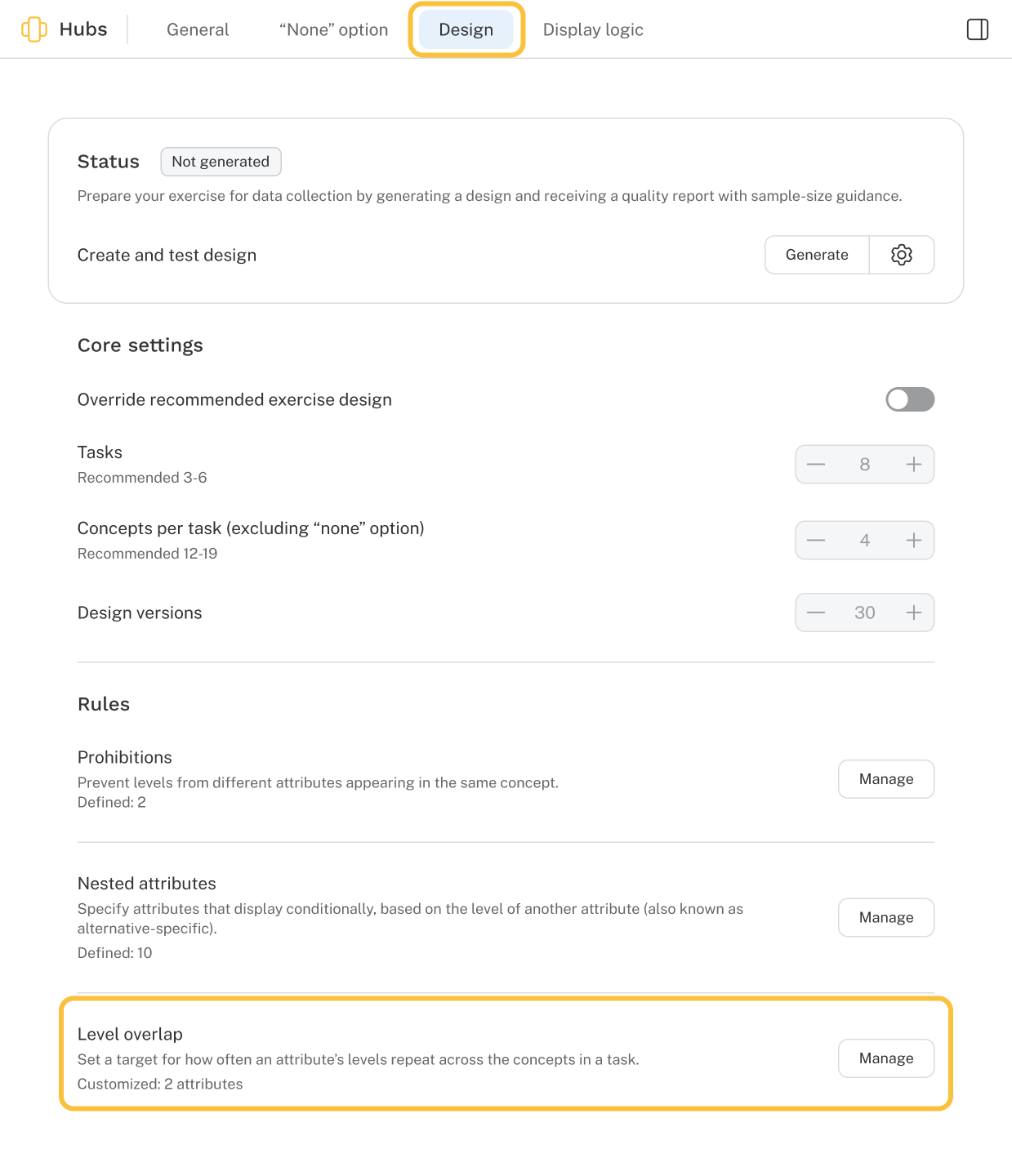
To change the amount of overlap on an attribute, click the Manage button towards the bottom of the Design tab of the CBC exercise for Level overlap. 

Cbc Level Overlap Location

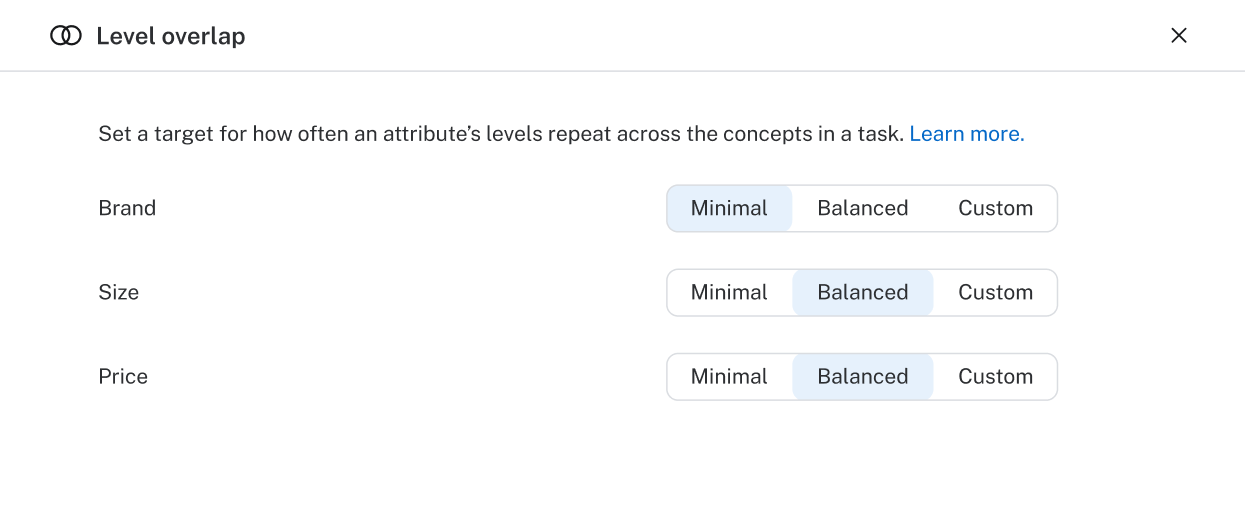
Each attribute defaults to Balanced level overlap, with an opportunity to change to Minimal or Custom. 

Level Overlap Settings

As previously described, most users are well served by the preset options, but advanced users may opt to enter custom numeric values for each attribute to achieve more fine-tuned control. 

The custom overlap numeric value ranges from 0 to 1: 

  • 0 = Minimal overlap (identical to selecting the Minimal toggle) 
  • 0.35 = Modest overlap for attributes with >2 levels 
  • 0.21 = Modest overlap for 2-level attributes 

To help you better understand how custom values affect your design, review the CBC design report which includes a measurement of how much overlap occurs across all tasks in the design. 

Level overlap and design efficiency

Traditional design statistics, such as standard errors and relative D-efficiency, assume that respondents carefully evaluate all attributes and make fully rational (utility-maximizing) trade-offs between them. 

Under those assumptions, designs with minimal level overlap are typically the most statistically efficient. They maximize D-efficiency and minimize estimated standard errors. 

Real people, however, do not always behave like perfectly rational decision-makers. 

Consumers often apply simple decision rules such as: 

  • "I won't consider any brand except Brand B." 
  • "The product must be under $100." 
  • "I need the premium package." 

These kinds of must-have or cut-off rules are common in real-world decision making. 

For this reason, adding some level overlap can often improve the practical quality of the choice tasks, even if it slightly reduces traditional measures of design efficiency. In other words, a design that is slightly less efficient on paper (traditional design efficiency metrics) can often produce richer and more meaningful insights from real respondents.