
Publish and survey audit

Introduction

Before a survey goes live, it must be published. The survey audit helps identify any errors or warnings that need attention first.

The Publish button has two states:

  • Gray: No unpublished changes.
  • Blue: Changes detected — open the audit to review any messages before publishing.
Publishing a survey

  1. Click the Publish button in the top menu bar.
    The menu bar with the publish button highlighted.
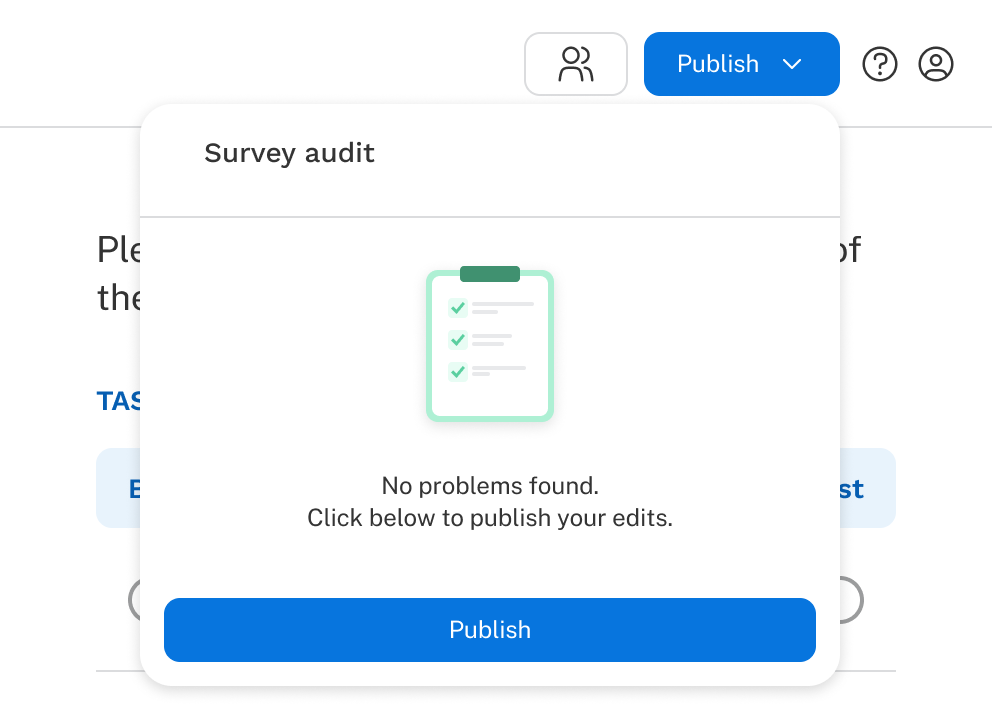
  2. Resolve any errors shown in the Survey audit panel.
    The survey audit saying your survey has no errors. Publish edits to your live survey by clicking the button below.
  3. Click Publish in the panel to confirm.
    Second Publish

A confirmation notification appears at the bottom of the screen when the survey goes live.

The confirmation at the bottom of the screen after publishing says survey updated successfully. Share your survey. The last sentence links you to the share page.

Survey audit

The survey audit identifies issues while you're authoring your survey, organized into two types: errors and warnings. Audit messages appear in up to three places:

  1. The Survey audit panel (all messages are always visible here).
    Survey Audit Menu
  2. Next to the specific area where the issue occurred.
    An input field is highlighted and text underneath explains why there is a warning.

Click any message in the panel to jump directly to the problem in your survey. Once an issue is resolved, its message disappears.

Warnings

Warnings flag potential problems that won't block publication but may cause unintended behavior. For example, a blank input field or two identical items in a list. Warnings are shown with a triangular icon and orange text.

A warning in survey audit is indicated by a warning icon.


Errors

Errors must be resolved before the survey can be published. For example, asking respondents to select 4 options when only 2 exist, or a list without enough items. Errors are shown with a stop sign icon and red text.

An error in survey audit is indicated by a stop sign icon.